Take a quiz
Steps
- Clicking a quiz link or entering a quiz code on Mammath home page takes students into the lobby.
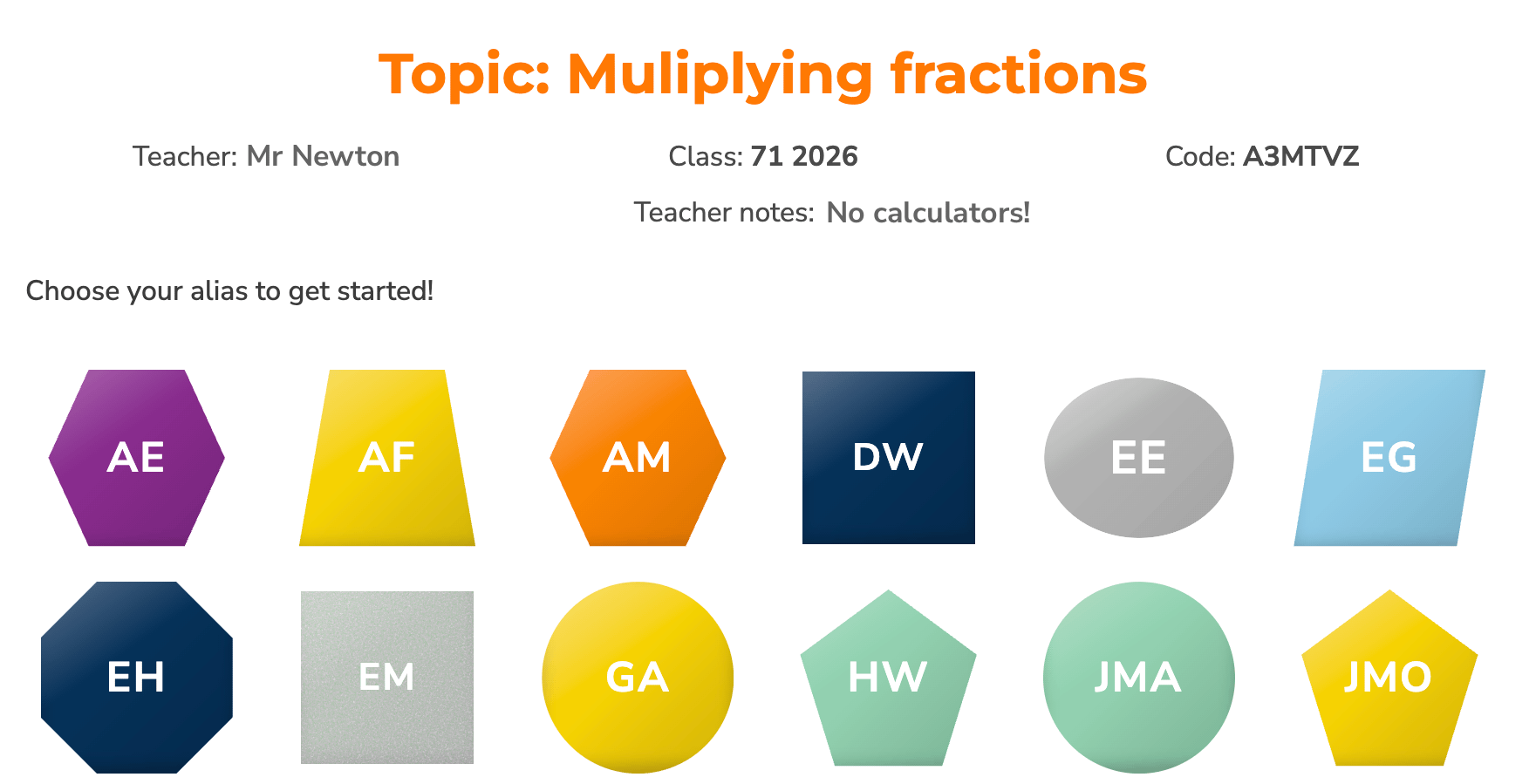
- Students select their alias (a unique shape, colour and label) and then enter their 3-digit PIN.
- Students answer each question. Progress to the next question is automatic.
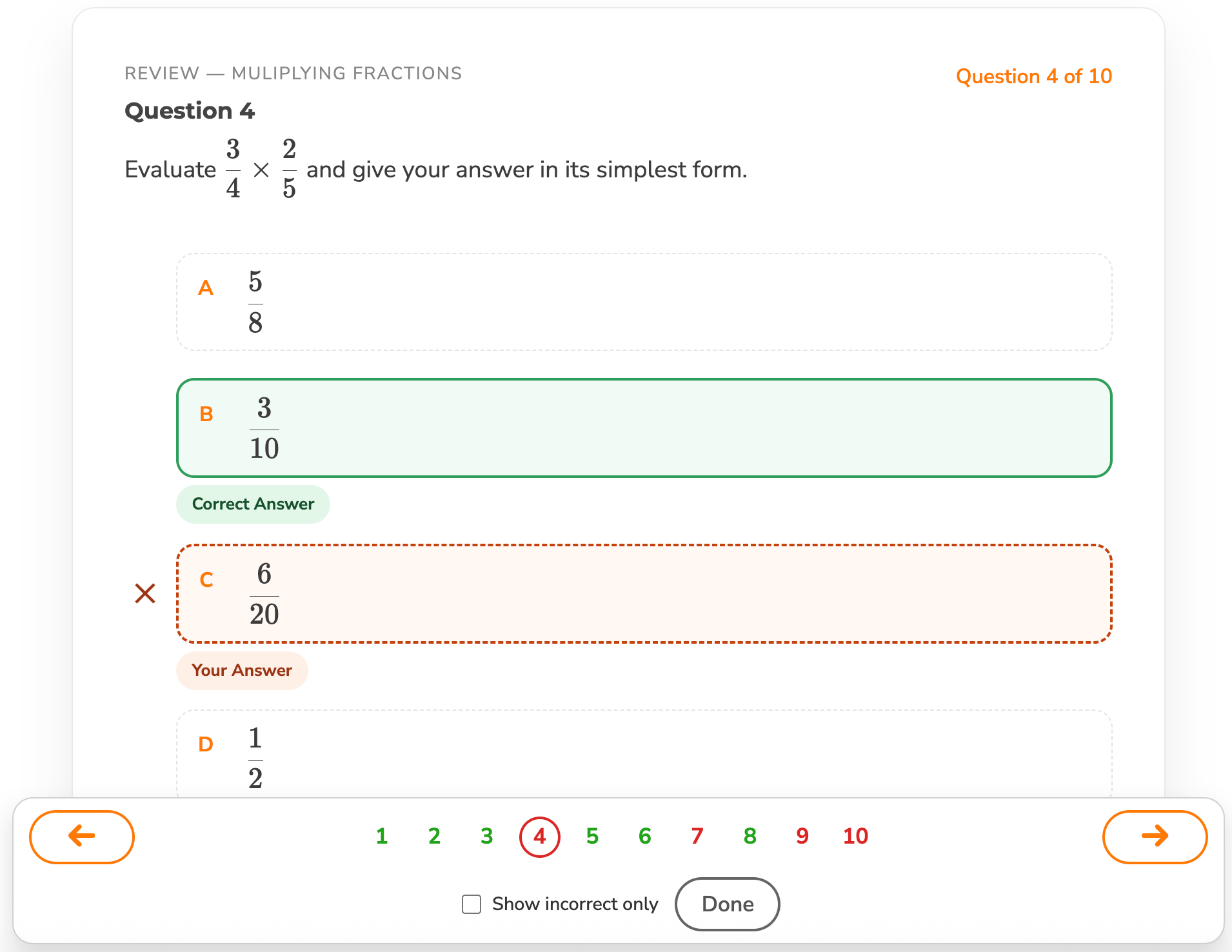
- On completion, students can view their answers and navigate to incorrect questions.
Lobby Notes
- The displayed teacher name is controlled under the Teacher Accounts page
- Teacher notes: are configurable under Task Settings if you want to give specific instruction (e.g. use a calculator for this quiz).
- A coloured alias indicates they are yet to complete the quiz. If a shape has been disabled, it means the student has completed the quiz.
- Refresh the lobby for a visual status on quiz completion in your class.
- You can also monitor submissions real-time in the results view
Quiz Review
On completion, students can review their answers for every question, and easily navigate to questions with incorrect responses.