Assign a Quiz
A Task is the assignment of a particular quiz to a selected class.
Steps
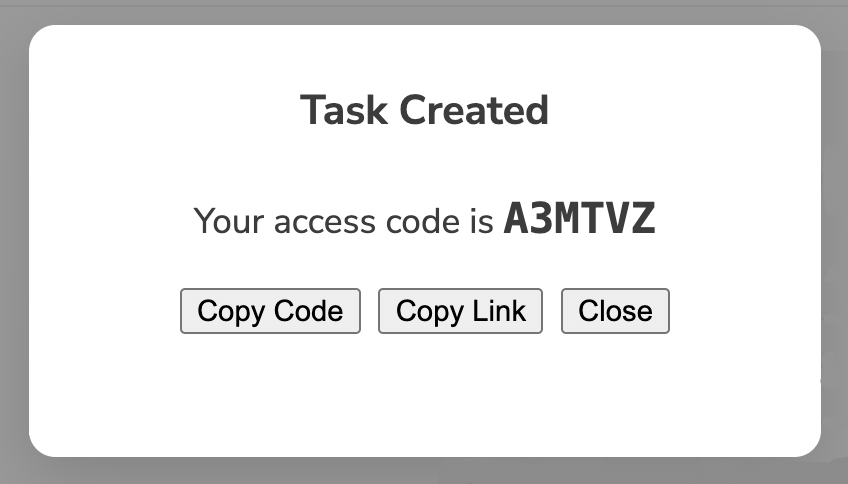
- Navigate to Tasks > Create Task.
- Select the relevant class.
- Use Topic, Sub-topic and/or Level filters to narrow down task list, or
- Type into the Title box to dynamically search for quiz by title
- Preview quiz content to check it aligns with expectations
- Create to assign quiz to class
- Optionally, change Task settings to specify a Role, schedule opening/closing dates or set Public/Private notes.
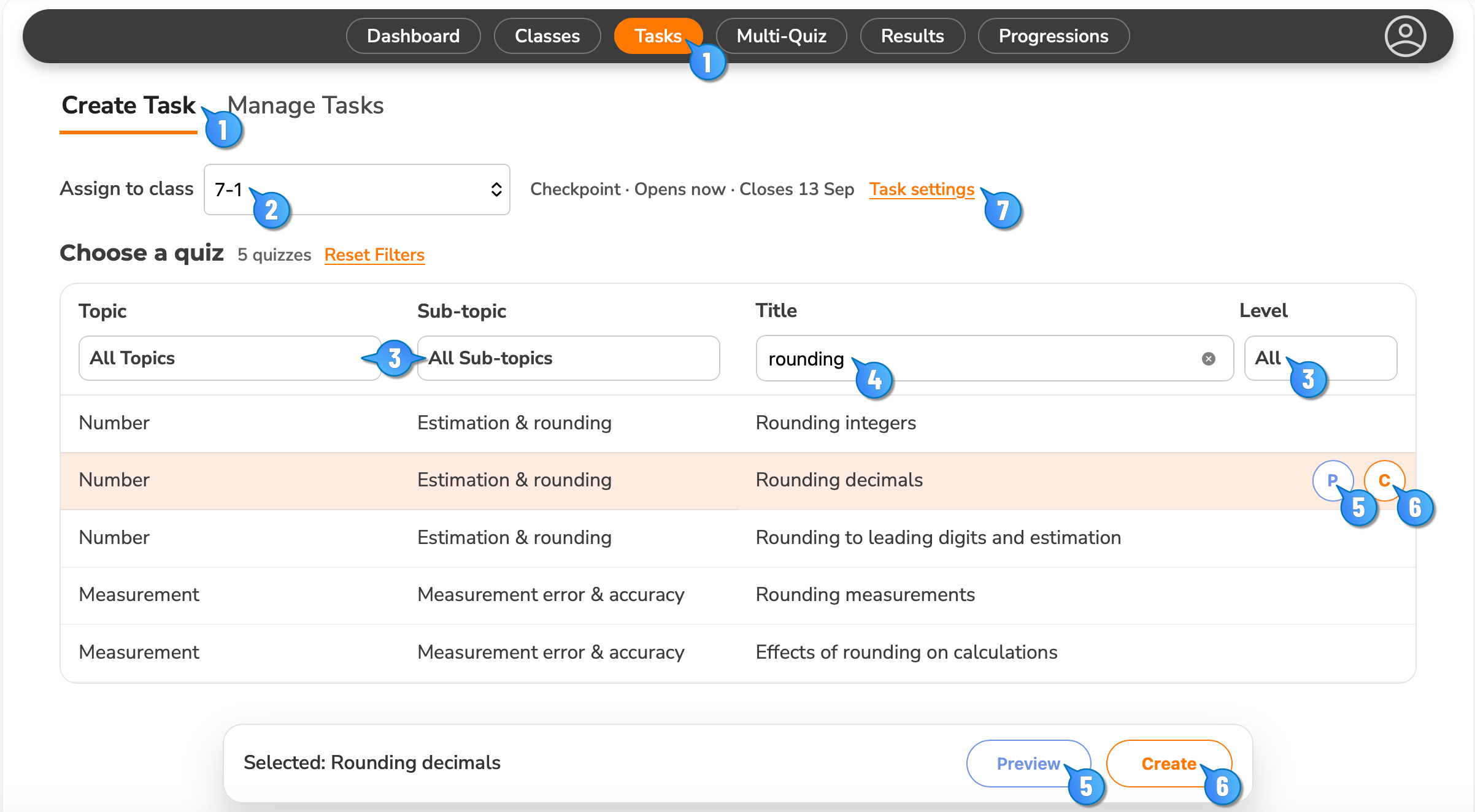
- When done, a pop-up dialogue box will show where you can copy link or copy code. Distribute this to your class for them to take the quiz.
- Quiz codes and other settings can be accessed via Manage Tasks.